Skip to content

Smart home device marketing agency

Marketing for smart home device brands: compatibility answered before checkout, setup that prevents returns, camera ad policy and systems that expand over time.

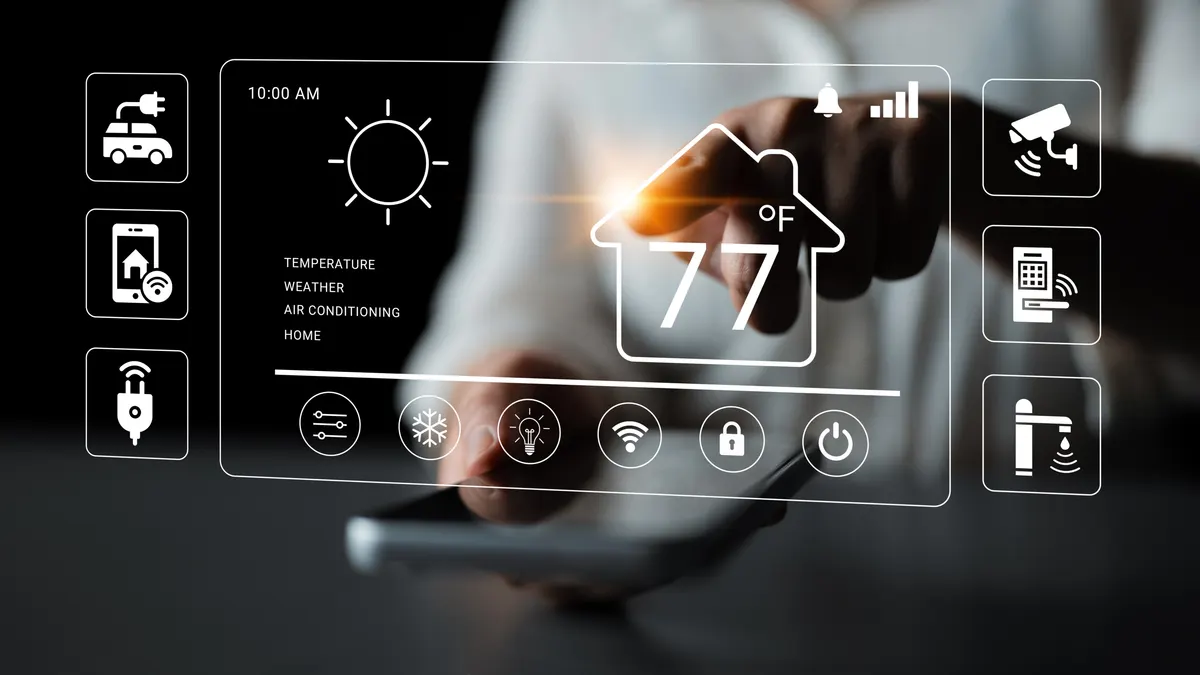
Smart home device marketing agency: modern Smart Home Interface with Temperature Control, Weather Updates, and Security Settings Displayed on a Touchscreen Device.

How a smart home device gets chosen

A smart home device is returned for a reason no other home product shares. It worked, but it would not connect. The hub was missing, the network was on the wrong band, the wall had no neutral wire, or the shopper's phone assistant was not the one the device speaks to. The product was fine and the sale still failed.

We write growth plans for smart home device brands that already sell online. The plan makes compatibility a front of page fact rather than a footnote: which assistants, which protocols, what a hub is needed for, and what has to be true about the wiring or the network before anything works.

Around that sits the rest of the category. Setup content that prevents returns instead of processing them. Advertising policies for cameras that catch brands out. And a product line where every device sold makes the next one easier to sell.

Most smart home purchases start with one problem. A dark hallway, a parcel that went missing, a heating bill, a door that keeps getting left unlocked. The shopper is not buying a system yet, they are buying a fix.

Compatibility is the gate everything passes through. Which voice assistant do they already use. Does the device need a hub or does it work on its own. Does it use Matter, Thread, Zigbee or plain Wi Fi, and if Wi Fi, does it need the slower band that many modern routers hide by default. That last one causes more failed setups than any other single thing.

Installation is the next gate, and it is physical. Smart switches often need a neutral wire that older homes do not have. Video doorbells need existing wiring or a battery. Locks need the right door thickness and latch type. A shopper who cannot tell whether their home qualifies will not risk it.

Then the ongoing questions. Is there a subscription for cloud recording or history. What still works without it. Where is video stored, and who can see it. How long will the device receive updates.

Gifting and the big sale events drive volume, and a house move restarts everything.

Where smart home device brands
lose revenue

The four levers, in this niche.

Visitors

Visitors: compatibility is a search category

People search for the ecosystem as much as the product: Matter smart plug, video doorbell that works without a subscription, smart bulbs that work with an existing assistant, smart lock for a door with a specific latch. Build collection and comparison pages around protocols, assistants and installation requirements, since those searches carry high intent and are often ignored by brands that only publish product pages. Problem led content, such as monitoring a parcel or cutting heating waste, brings people in before they know what to buy.

Conversion rate

Conversion: answer compatibility before the cart

Put the requirements in plain language high on the page. Which assistants the device works with, whether a hub is needed, which protocol and which Wi Fi band it uses, what wiring or hardware the home must have, and what a subscription includes and what still works without it. Add a short compatibility check the shopper can run in under a minute. Every question you fail to answer becomes a return, and returns on connected devices are rarely resellable at full price.

Average order

Order value: one device is never the whole plan

Smart home buyers are systems buyers who do not know it yet. Multipacks are the simplest move, since almost nobody wants a single smart bulb or one sensor. Beyond that, bundle by room or by job: a starter kit with a hub, a security bundle with a camera and two sensors, a lighting bundle for one room. Accessories such as mounting plates, batteries, chimes and adaptors attach well, and a subscription with a clearly explained free tier adds recurring value without pressure.

Repeat purchases

Repeat purchases: the ecosystem does the selling

This is one of the better repeat categories in the home industry because each device makes the next one more useful. Someone with two smart bulbs wants a switch, then a sensor, then a camera. Record what a customer owns and recommend what extends it rather than what replaces it. Firmware notes, automation ideas and use case emails keep you present between purchases. Devices also age out, so a replacement cycle exists, and support quality is what decides whether they stay in your ecosystem.

What we do for
smart home device brands

Five channels, one plan.

Google Shopping and search

Google Shopping and search ads for smart home devices

Titles should carry the compatibility, because it is the deciding attribute: Smart Plug, Matter, Works Without a Hub, Four Pack, or Video Doorbell, Battery Powered, Local Storage. A title that names only the product loses the shopper who is filtering by ecosystem in their head.

Split campaigns by device type and separate multipacks from singles, since the pack is usually the order worth having and needs its own budget and reporting.

Cameras and security products need a policy check first. Advertising rules restrict surveillance equipment presented for covert or spying use, and copy that leans that way can cause disapprovals that reach beyond the item concerned. Keep the framing on home security and let the language stay plain.

Search ads take the compatibility questions and the subscription question, which is asked constantly. Negatives clear commercial security installation, alarm monitoring contracts and network hardware unless you sell them.

Meta and TikTok

Meta and TikTok ads for smart home devices

The creative that sells here is a demonstration of a moment. The porch light coming on as someone arrives, a phone showing the doorbell view from a train, a heating schedule adjusting itself. Short, literal and shot in a real home rather than rendered.

Setup footage performs unusually well, because the fear is difficulty rather than price. Showing an install finished in a few minutes, or showing exactly what a neutral wire looks like in a back box, removes the main objection.

Camera and lock creative needs care. Avoid anything that suggests covert recording or monitoring people without their knowledge, both because platform policies restrict it and because it damages trust in a category built on it.

Audiences build from technology and home improvement interest plus your buyer list, segmented by what they own, since the strongest prospect for a sensor is somebody who already has your hub.

Merchant Center and the feed

Merchant Center and the feed for connected devices

These are manufactured electronics, so identifiers are expected. Send accurate GTINs and MPNs, since missing or wrong identifiers limit how listings can compete and cause avoidable disapprovals across a range.

Use the multipack attribute properly for two packs and four packs, or the price comparison works against you. Put compatible assistants, protocol, hub requirement, power source, wireless band and any wiring requirement into product_detail, because those are the specifications shoppers filter on and assistants read.

Colour variants share an item_group_id, and regional variants that differ by plug type or radio frequency should not share an item across markets where the hardware differs.

Cameras and locks can attract restricted product review, so keep titles and descriptions factual and free of covert surveillance language. Where you sell devices with an energy label or radio compliance requirement in a market, make sure the feed and the page carry what that market expects.

SEO and AI search

SEO and AI search for smart home devices

This category is heavily researched and heavily asked of assistants, because the questions are exactly the kind people want a straight answer to. Does this work with the assistant I already use. Do I need a hub. What is Matter and does it matter to me. Why will my device not connect to my Wi Fi. Do I need a neutral wire for a smart switch. What do I lose if I do not pay for the subscription.

Write those as pages that answer in the first sentence, using your own products as the examples, and keep a compatibility page that is accurate and dated.

Setup and troubleshooting documentation is a growth asset here rather than a support cost, since it earns search traffic and prevents returns at the same time. Product pages carry protocol, hub requirement and power source as text, and structured data plus honest reviews give assistants something concrete to recommend.

Email and SMS

Email and SMS for smart home devices

The most valuable message in this category arrives before the device does. Send the setup requirements, the app link and the network note about which band the device needs, so the customer is ready rather than frustrated. Then a follow up a few days later asking whether setup worked, which catches the failures that would otherwise become returns and poor reviews.

After that, teach. Automation ideas, seasonal use cases and firmware notes give you regular reasons to write that are not discounts, and they increase the chance a customer buys the next device from you rather than from someone else.

Expansion is the core repeat message, built from what the customer already owns. Sale events and the gifting quarter carry heavy volume and deserve planned campaigns with multipack offers. Keep SMS for order and delivery updates and for security related service notices, which customers actually want to receive.

First three fixes

What the plan usually starts with for smart home device brands.

  1. Compatibility hidden in a specification tab

    The assistant support, hub requirement and network band sit at the bottom of the page or in a PDF, so shoppers buy on hope and return on failure. We move the requirements into a short block near the price, add a compatibility check the shopper can complete quickly, and put the same values into the feed so the ad and the page agree.

  2. Setup treated as a support problem

    Installation guidance only appears after purchase, so the fear of difficulty blocks the sale and the reality of difficulty causes the return. We publish setup and troubleshooting content publicly, link it from the product page, and send the requirements before the parcel arrives so the customer is prepared rather than surprised.

  3. Camera copy that trips advertising policies

    Language about discreet monitoring or watching people without their knowledge puts security products into a restricted category and can affect more than the single listing. We rewrite titles, descriptions and ad copy around home security and visibility for the homeowner, keep those products in a separate feed section, and review the policies for each market before scaling spend.

Questions from smart home device brands

Setup failure rather than product failure. The common causes are a missing hub, a router that hides the slower Wi Fi band the device needs, a wall switch with no neutral wire, and an assistant the device does not support. Publish those requirements on the product page, send them before delivery, and check in a few days after the device arrives.

As a short block near the price, in plain language. Name the assistants supported, say whether a hub is required, state the protocol and the wireless band, and list any wiring or hardware the home must already have. Then offer a quick check the shopper can run themselves. Buried compatibility information is the same as no compatibility information.

Advertising policies restrict surveillance equipment promoted for covert or spying use, so copy that suggests hidden monitoring of people can lead to disapprovals with consequences beyond the single item. Keep the language factual and focused on home security for the person who owns the property, keep those lines in their own feed section, and confirm the rules in every market before scaling.

Only if you are explicit about what works without it. Shoppers are wary of buying a device that becomes limited later, and hiding the paywall until after setup damages reviews. State plainly what the free tier includes, what the paid tier adds, and how long data is kept. Handled openly, the subscription adds recurring revenue rather than resentment.

By selling systems instead of devices. Multipacks are the easy first step, since one bulb or one sensor is rarely what anybody wants. Then bundle by room or by job with the hub included. For repeat, record what each customer owns and recommend the device that extends it, supported by automation ideas that show what the combination can do.

Other home & furniture stores we work with

Send your smart home device brand store.

The plan says which lever is leaking and what to fix first, for your store as it is today.

Store, name, email and phone. A person replies from a real inbox. Privacy

Get your free growth plan